

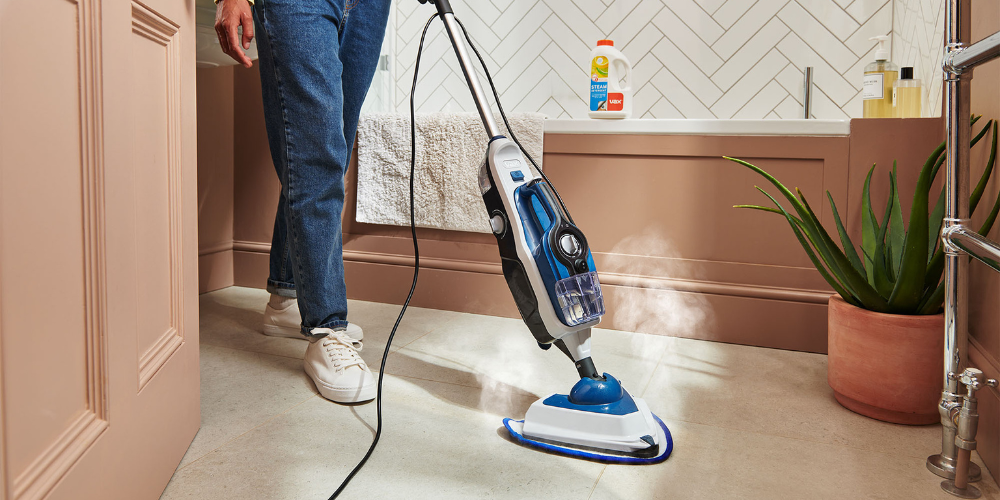
A steam cleaner that isn’t producing steam doesn’t necessarily mean there’s a serious problem. An empty water tank, an incorrectly fitted component or a blockage could all interrupt steam delivery.
Before you start troubleshooting, switch off and unplug your steam cleaner and allow it to cool completely. Steam cleaners use hot water and steam, so always follow the safety and maintenance instructions in the user guide for your particular model.
Once the machine is safely switched off and cool, here are some of the things you can check.
1. Check the water tank
Start with the simplest explanation: does your steam cleaner have enough water?
If the tank is empty or running low, refill it according to the instructions for your model. Don’t continue attempting to produce steam from an empty machine.
Check that the tank has also been fitted back into the cleaner correctly. Depending on your VAX model, an incorrectly positioned tank or cap could prevent the machine from operating as expected.
Only use the type of water and any cleaning products specified in your user guide. Don’t add household cleaning products, essential oils or other substances to the water tank unless the instructions for your model specifically state that they’re suitable.
2. Make sure the steam cleaner has heated up
Steam isn’t normally produced the instant you switch a steam cleaner on.
Once you’ve filled the tank and switched the machine on, allow it to heat for the amount of time specified in your user guide. Your model may have an indicator to tell you when it’s ready to use.
If you’ve only just switched the machine on, give it the required heating time before assuming there’s a problem with the steam delivery.
3. Check the power supply
If your steam cleaner doesn’t appear to be heating at all, check that it’s receiving power.
Make sure the plug is securely connected and that the socket is switched on. Check the indicators on the cleaner to see whether the machine appears to have power.
If you suspect there’s a problem with the plug, socket, cable or electrical supply, don’t attempt to dismantle or repair the steam cleaner yourself.
Try another suitable socket if appropriate. If the problem continues, refer to your VAX user guide or contact VAX Support.
4. Check the controls
Different steam cleaners operate in different ways, so make sure you’ve selected the correct controls for your model.
Depending on the machine, you may need to operate a trigger or another control before steam is released.
Some models may also have safety features that prevent steam from being accidentally activated. Check that these have been correctly disengaged before use.
If you’re unsure, refer to the operating section of your user guide rather than forcing a trigger, switch or control.
5. Check that everything is fitted correctly
If you’ve recently refilled or cleaned your steam cleaner, check that all of the removable components have been put back correctly.
This could include the water tank, cap, floorhead or any accessories you’re using.
Never force a component into position. If something doesn’t appear to fit properly, remove it and check the assembly instructions for your particular model.
6. Check the steam path for a blockage
If your machine is powered, contains water and has had sufficient time to heat but still isn’t producing steam correctly, there could be a blockage.
Mineral deposits can accumulate over time, particularly if a steam cleaner is used frequently or in an area with hard water.
Only inspect and clean the areas identified as user-maintainable in your VAX user guide. Switch the cleaner off, unplug it and allow it to cool completely before carrying out any maintenance.
Don’t insert pins, tools or other objects into steam outlets unless the instructions for your particular model specifically tell you to do so.
7. Check any removable accessories
If steam works correctly from the main unit but you’re having trouble when using a particular tool or accessory, the issue may be with that part rather than the steam cleaner itself.
Switch off and cool the machine before removing the accessory. Check that it’s correctly fitted and inspect any user-accessible openings for visible debris according to the instructions in your user guide.
If you have a multifunction steam cleaner, test and troubleshooting procedures can vary depending on whether you’re using it for floors or in its handheld configuration.
The VAX Steam Fresh Total Home Steam Cleaner, for example, combines a floor steam cleaner with a detachable handheld unit and multiple accessories, so it’s particularly important to follow the instructions for the configuration and tool you’re using.
8. Consider limescale and regular maintenance
If you live in a hard-water area, limescale is something to consider as part of the long-term care of appliances that heat water.
Follow the maintenance instructions supplied with your VAX steam cleaner rather than using a homemade descaling mixture or an ordinary household descaler. Using something that hasn’t been approved for your machine could damage it.
If your model uses replaceable filters or other consumable components, check the user guide for information about when these should be inspected or replaced.
You can find compatible replacement parts through VAX Spares.
How to help keep your steam cleaner working properly
Regular care can help keep your steam cleaner ready for its next job.
After cleaning, follow the instructions for switching off, cooling and storing your particular model. Don’t put the machine away while it’s still hot.
It’s also worth regularly checking:
- The water tank and removable components are clean
- Accessories are free from visible debris
- Steam outlets aren’t obstructed
- Cleaning pads are cleaned or replaced as instructed
- The power cable is free from visible damage
- Any replaceable filters or other maintenance parts are checked at the recommended intervals
If you haven’t used your steam cleaner for a while, give it a quick visual inspection before switching it on again.
Still no steam?
If you’ve worked through the basic checks and your VAX steam cleaner still isn’t producing steam, stop using the machine rather than attempting to dismantle or repair it yourself.
The correct troubleshooting process can vary between models, so the next step should be to check the user guide for your specific steam cleaner.
Visit VAX Support for product-specific help, troubleshooting information and further support.
Having your model or product number available will make it easier to find the correct information for your machine.
Looking after your VAX steam cleaner
Problems with steam delivery can sometimes have a simple cause, so start with the basics: check the water, power, controls and removable components before moving on to model-specific troubleshooting.
Most importantly, always switch off, unplug and completely cool your steam cleaner before carrying out maintenance.
If you’re looking for a new machine, you can also explore the current range of VAX steam cleaners, including multifunction models designed for cleaning suitable floors and other surfaces around the home.



 Vax Staff